From the dashboard page (if you are not there, click on the very right-top red icon).

Select one of the team's “TDC CMS” or “SGC TDC FR” and go to the Team Section page. The first column is about the Team Main Information, scroll a little down, and you will see the field "Groups". Inside is the list of current groups, you can create a new group or groups just by typing the name of the new group. There is no limit of quantity or characters, just be sure not to leave a space between words or characters. For example: "BritishColumbia(BC)" or "New-Group".
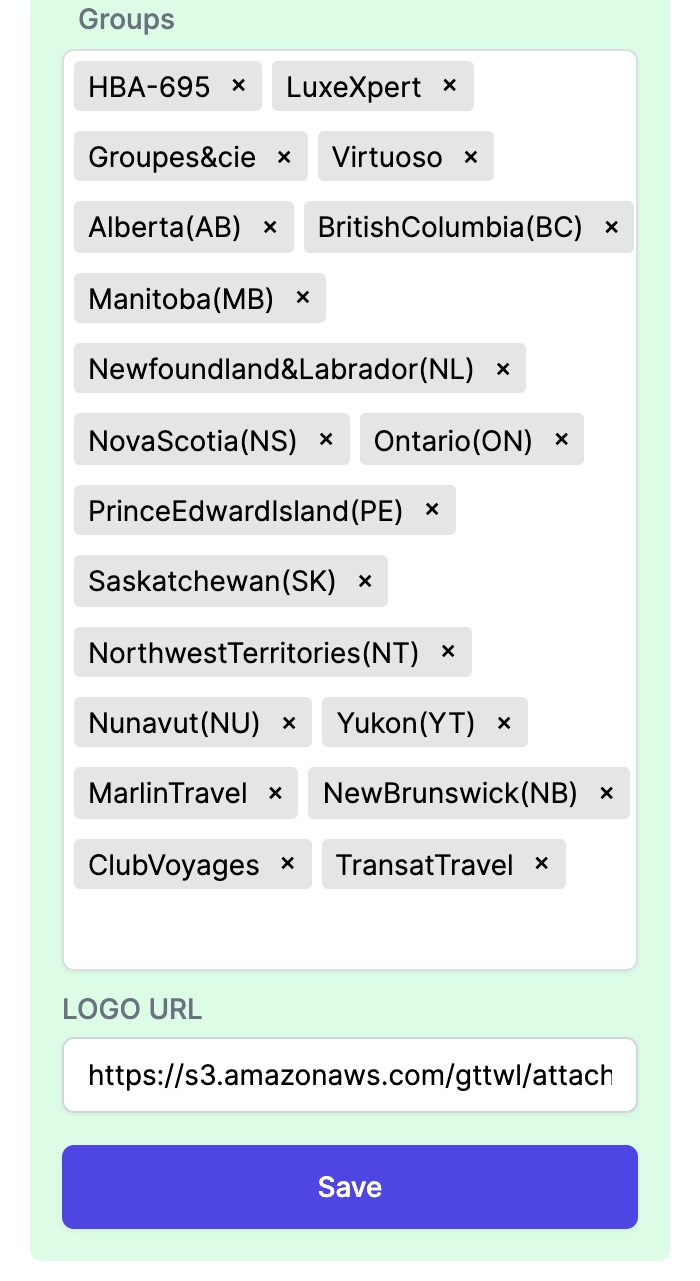
You will also be able to delete any group, but be careful when removing them.
Note: Remember to click Save before you leave the page.
Assign Group/s to Each Subscriber
From the same Team Section page, go to the top menu and click on "Agencies".

A page with a list of all subscribers, ordered alphabetically, will show. At this point, some of the subscribers will have assigned a group or groups. Yes, you can assign multiple groups.
You have two ways to assign the group/s to a subscriber: one from the same list of agencies or by going to the agency/subscriber dashboard page.
From the list of subscribers:
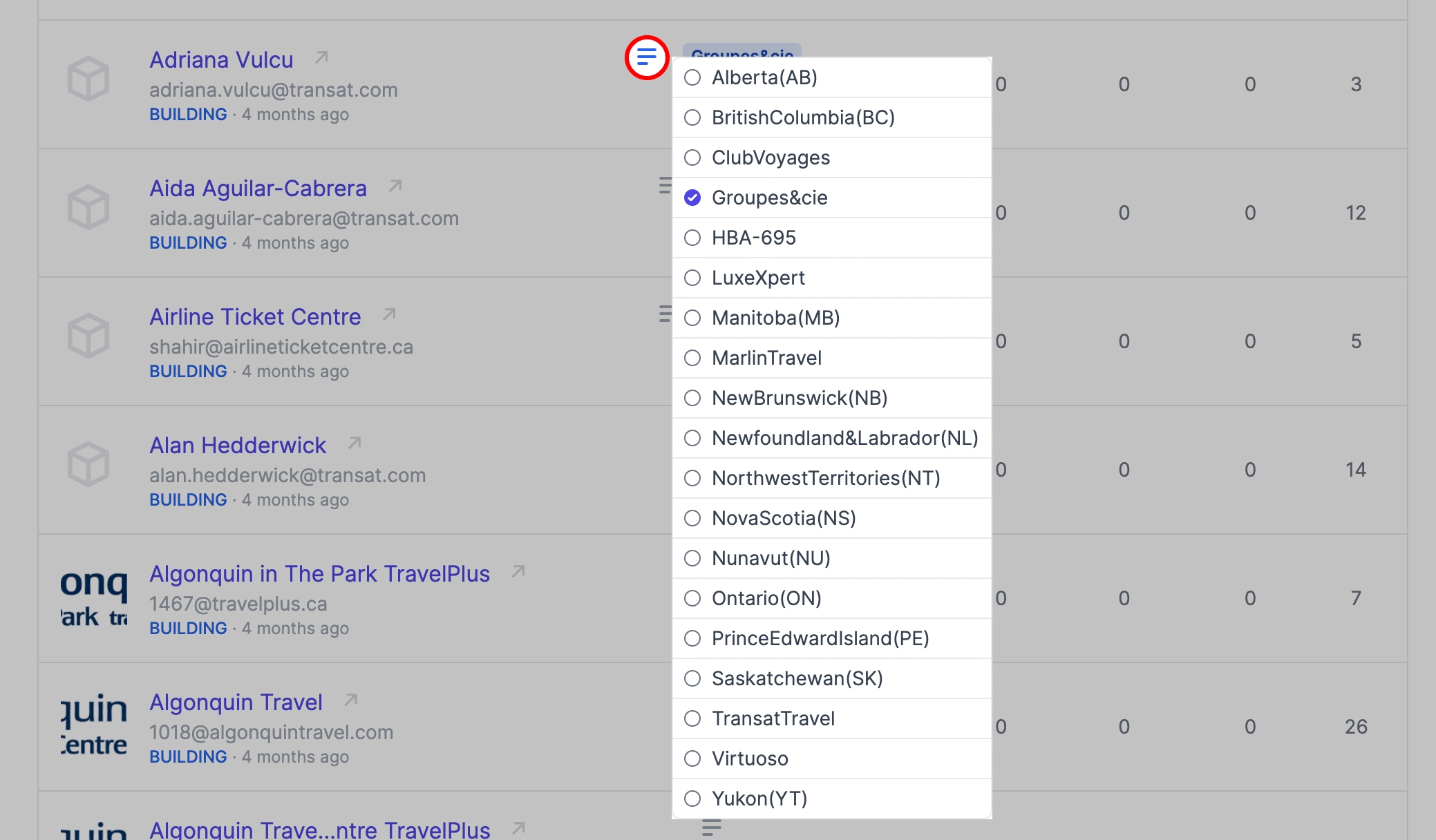
Just search for the specific agency, and the second column "Groups" has an icon where you can click, and the whole list of groups will show. Check the one you want to assign to the agency.
From the Agency/Subscriber Dashboard:
After you select a subscriber and go to the main admin page, the first column is about the main agency information. One of the fields is the list of available group/s. Select the one or ones you want to assign, and don't forget to save.

Note: In the same way, you can remove the subscriber/s from the groups.
Groups for Publishing
After you create and assign groups, you can easily publish content to specific subscribers just by selecting the group/s. See how to publish the posts.
CMS Help
Contact Us if you can't find what you are looking for