- Sign in to Outlook.com.
- Select
 at the lower left corner of the page to go to the People page.
 - On the far right of the toolbar, select Manage > Export contacts...
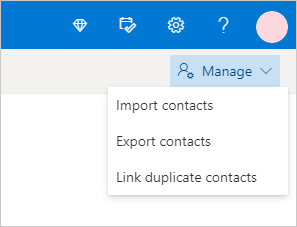
- Choose to export all contacts or only contacts from a specific folder, and then select Export.
- At the bottom of the page, select Save to save "contacts.csv" in your default Downloads folder. Or, select the arrow next to Save and select Save as.
CMS Help
Contact Us if you can't find what you are looking for